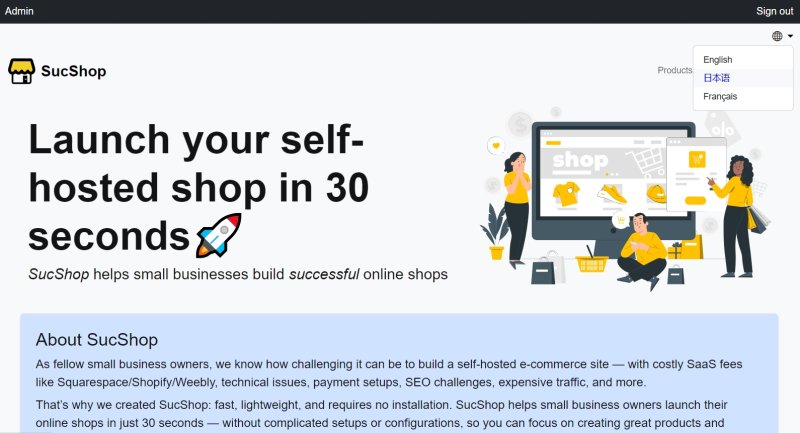
The multilanguage feature in SucShop
2025-12-02 19:18:22
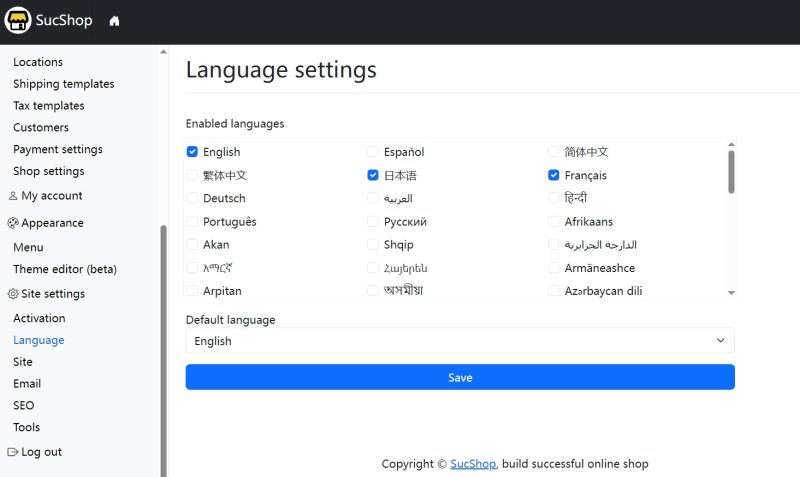
Set your languages
SucShop provides native multi-language support. Go to Site Settings → Language to choose your supported languages and set the default language.
If you need additional languages, simply edit the /assets/json/languages.json file. You can add, remove, or rename any language as needed.
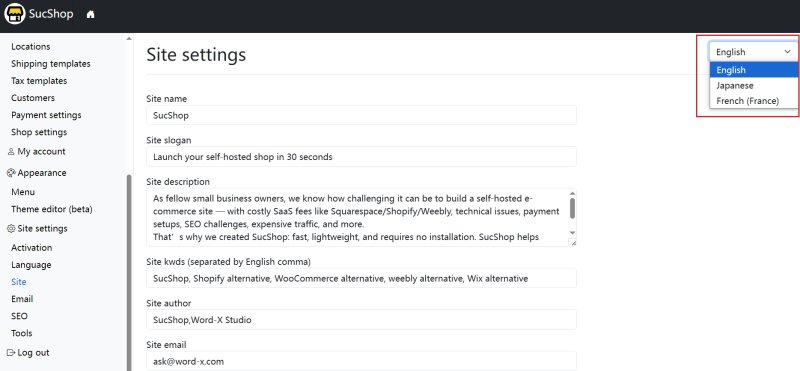
Set the site info for each language
Each language maintains its own site information. Configure the HTML header meta data and site title in Site Settings → Site.
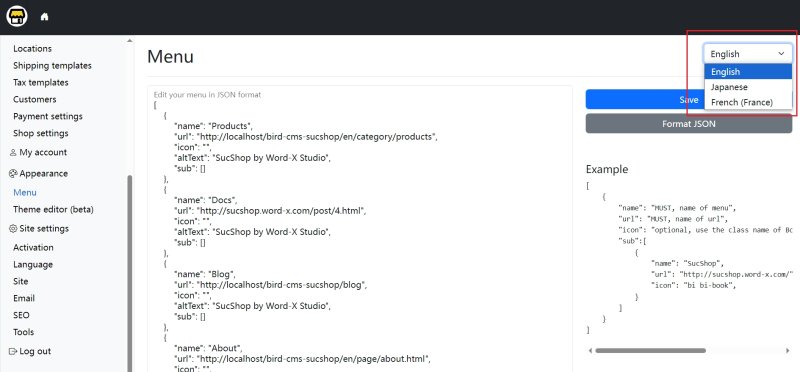
Each language also has its own menu. Configure the menu for each language under Appearance → Menu.
Edit contents (post/page/category/tag) in each language
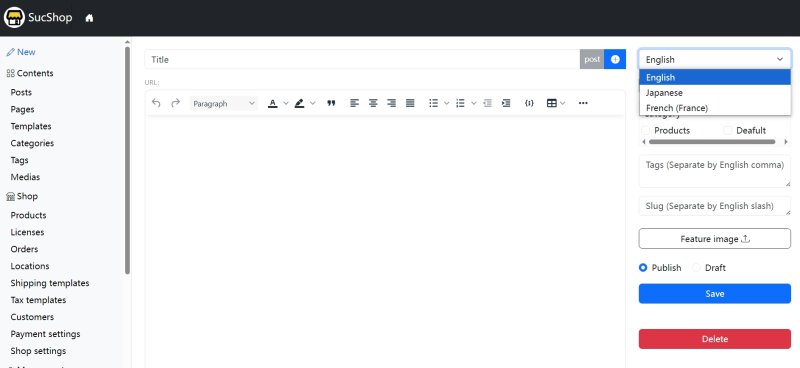
You can switch languages on the editor page. If a post with the same slug exists in another language, its content will be loaded automatically. The category list for that language will also be loaded, since each language can have its own set of categories.
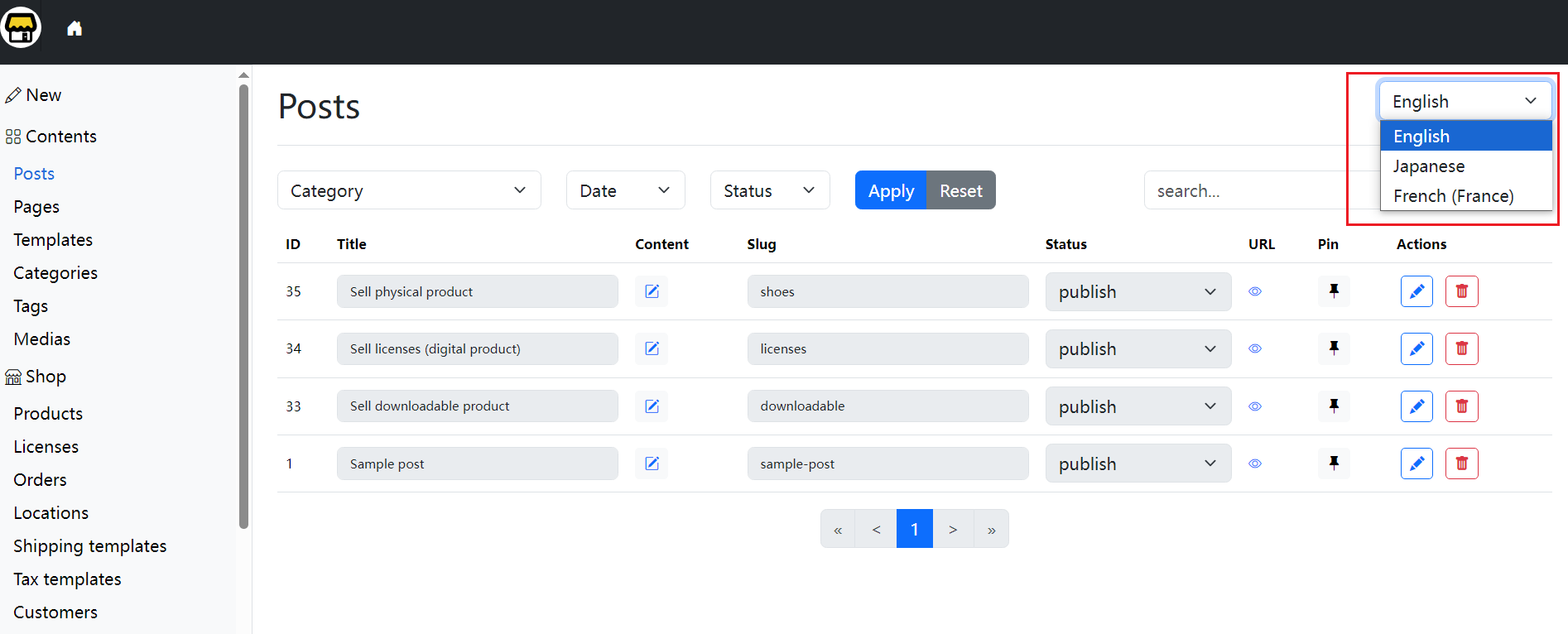
You can manage posts by switching languages using the menu in the top-right corner.
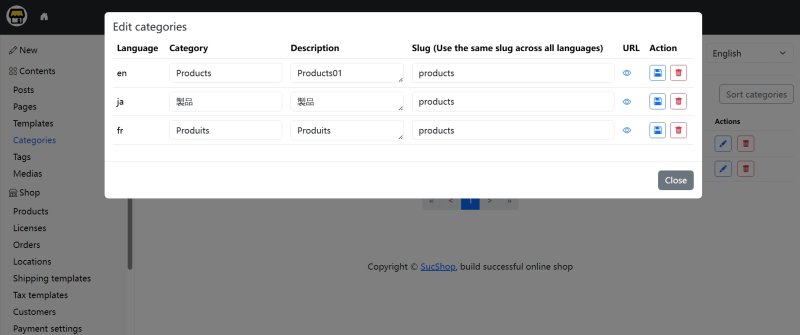
You can edit all translations of the same category/tag at the same time. The same applies to posts and pages—each one can share the same slug across different languages.
Switch languages on the frontend
When users switch languages on the frontend, the system automatically redirects them to the page with the same slug in the selected language.